
Before you upload
You've finished your design and you're ready to submit it. Run through these checks first to catch the most common artwork issues before your card reaches moderation.
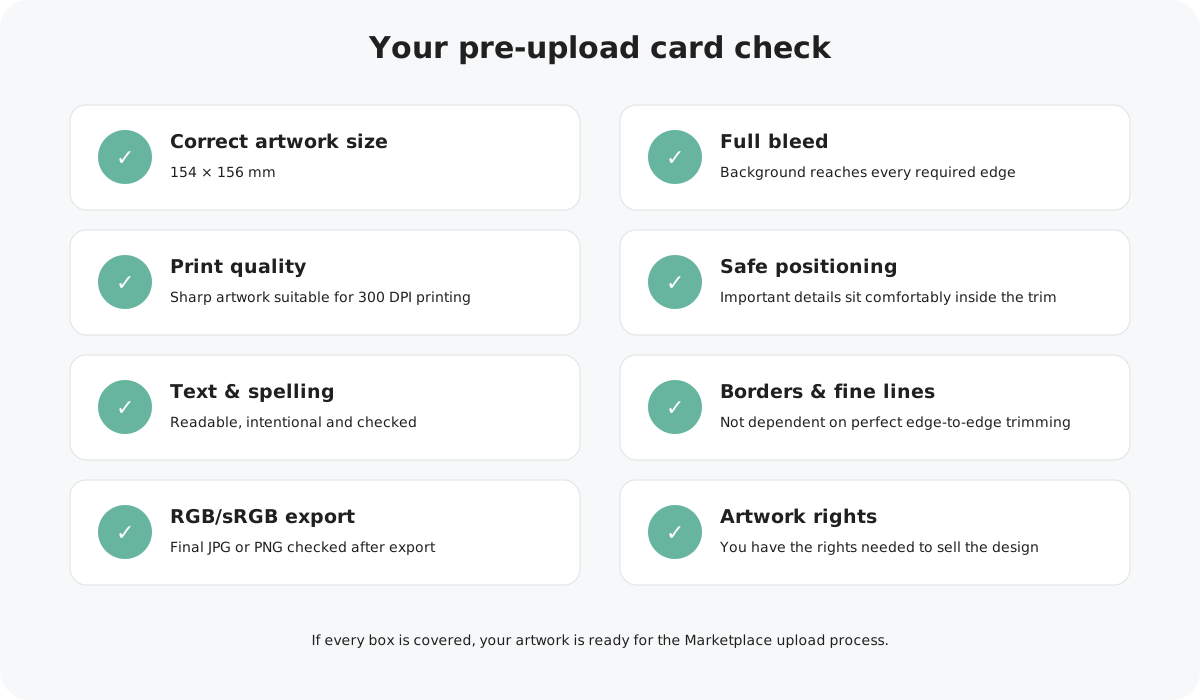
1. Is your artwork the correct size?
Width
Height
Print-quality target
The uploaded artwork includes the bleed required around the finished 150 × 150 mm card front.
2. Does the background cover the full bleed?
If a colour, photograph, pattern or illustration is meant to reach the edge of the finished card, it should continue all the way to the outside edge of the artwork file.
3 mm top, right and bottom, with 1 mm on the left.
3. Is everything sharp enough for print?
Open your final exported file and inspect photographs, illustrations, wording and fine details. Watch for blur, visible pixels or compression artefacts.
4. Are important details safely positioned?
Keep wording, faces, logos and other important elements comfortably away from the trim. Normal cutting tolerance means important content should never depend on being positioned extremely close to an edge.
5. Have you checked every word?
Read the final exported design carefully for spelling mistakes.
Check that small or fine wording is still easy to read at the finished card size.
If the design uses personalised text, make sure the editable area and intended wording are clear.
6. Have you checked borders and fine lines?
Very thin borders close to the edge can make normal trimming variation more noticeable. Fine lines and tiny details can also lose clarity in print.
If your design uses a border, make sure it has enough room and doesn't rely on perfectly equal trimming on all four sides.
7. Have you checked colour and your final export?
For Marketplace, your final JPG should be RGB/sRGB. Open the actual exported file and check that the colours look as expected and nothing has shifted during export.
Remember that a screen emits light while a printed card uses ink, so some screen-to-print variation is normal.
8. Do you have the rights to sell everything used?
Make sure you created the artwork yourself or have the appropriate commercial rights or permission for any third-party illustrations, photographs, fonts or other protected content used in the design.
9. Have you checked the file you're actually uploading?
This final step is easy to miss. Open the exact JPG or PNG you plan to submit rather than relying on how the design looked in Canva or your original design software.
You're uploading the latest finished version, not an earlier draft.
The artwork is upright and has not been accidentally rotated or cropped.
Text, colour, images and positioning still look correct after export.
Using Canva?
You can start from our ready-made Marketplace template, which is already set up at the correct artwork size.
All checked? You're ready to upload.
If you've worked through each check above, your artwork should be ready to submit for Marketplace moderation.
Already had a design rejected?
Don't worry, many moderation issues are straightforward to correct. Our rejection guide explains the most common reasons and what to change before resubmitting.